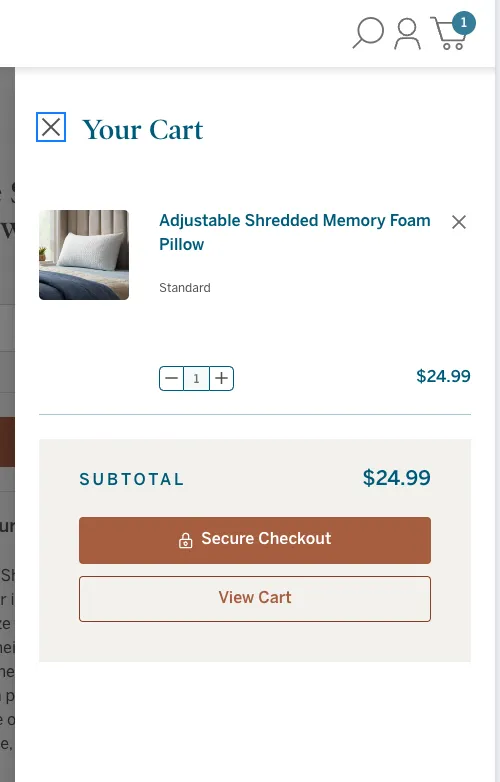
Cart Page & Cart Drawer Setup
The following documentation will refer to the 2023 redesign or “v2” version of the cart and cart drawer/mini cart.
Cart Page
The cart page is not apart of the checkout flow, and unlike the checkout, is much more customizable. The cart page lives at lucidmattress.com/cart.php. Content on the page can be edited via page builder widgets or custom fields on the product. For content that you do not see as being editable, please contact the web team or put in a ticket.
Cart Custom Fields
In the design there is custom text on the product cards for the cart. Please see the image below as an example.
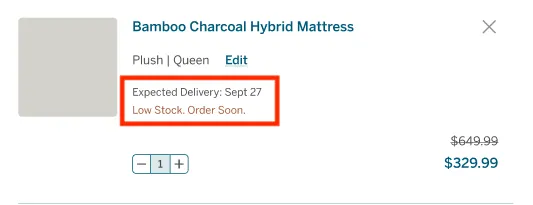
The following custom fields have been created to work on the cart specifically. Please enter the custom fields on the desired product within the BigCommerce admin.
| Cart Custom Field Name*: | Custom Field Value(s): | Description |
|---|---|---|
est-delivery | text | estimated delivery date |
low-stock | text | low stock message |
Product Addon
The product addon or “Pairs Well With” section is a widget can be changed in page builder. It was made to highlight 3 products, but you can add as many as you desire. Simple search for the product you want and update the button text accordingly.
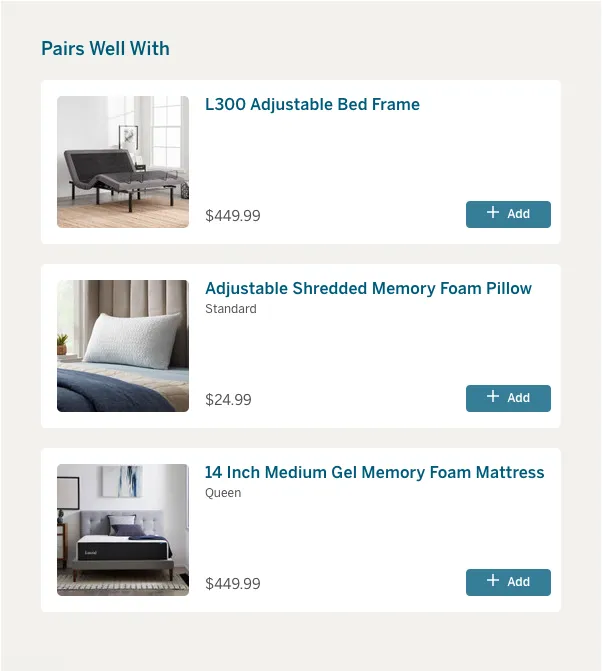
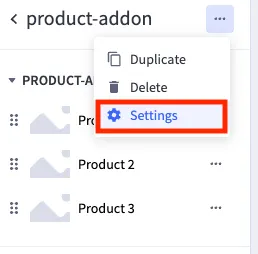
By clicking on the three dots in the upper right corner of the widget, you can adjust the heading text as well.
Cart Product Highlight
The mattresses are currently highlighted in the right column of the cart page. If you wish to change the content, simply upload new icons and adjust the text accordingly. Heading, terms, privacy and colors can be adjusted in the widget settings (3 dots in the upper right hand corner).

Sleep Specialist
The contact section on the cart page is also a widget that can be adjusted through page builder.

Cart Drawer
The mini cart or cart drawer is the section that slides out when you add an item to cart or click on the cart icon in the header. The cart drawer does not have editable sections besides the global product addon widget which appears when the cart drawer is empty. That particular section also lives on the cart page. If you wish to have items added or removed outside the section, please put in a ticket with the web team.