Product
Documentation on specific Linenspa product details. For more general info on how to edit products in BigCommerce, check out their Product Documentation.
Custom Fields
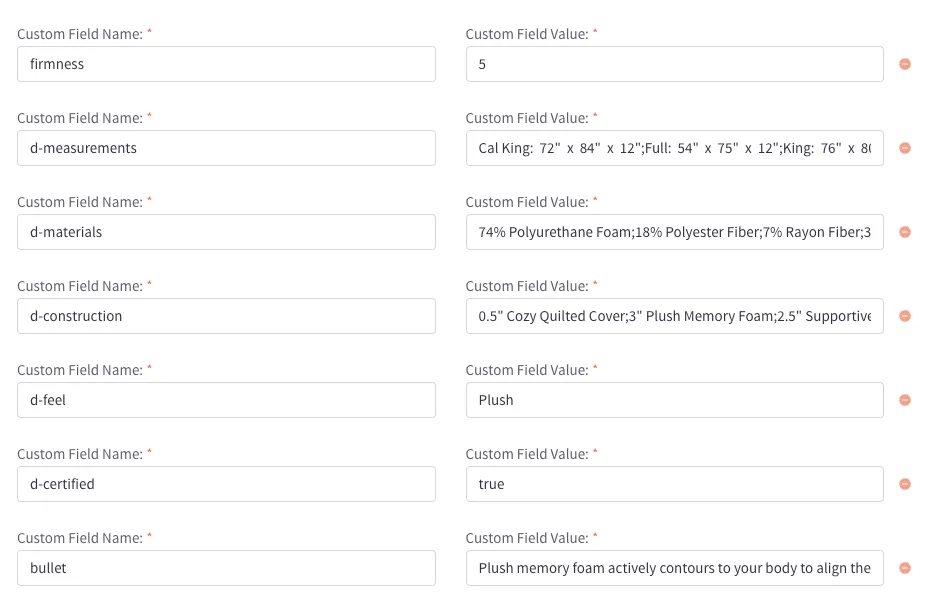
We can use custom fields to store extra data on individual products. Check out the BigCommerce Custom Field Docs for more info. These are the current custom fields in use on Linenspa products:
| Field Name | Field Value | Purpose |
|---|---|---|
firmness | number (1-5) | Adds 5-pt firmness scale to product card. |
bullet | text | Creates a bullet point by the product description on product pages. Can have multiple. |
d-[name] | text | Specifications item - see Specifications for more info on this section |
deal-end | text | Add end date for a product deal (visual only) |
Here is a visual example of a custom field combination on a live product:
Bullet Points
Bullet points can be added above the product’s description on product pages by using the bullet custom field. Adding multiple bullet custom fields will add multiple bullets in the list.
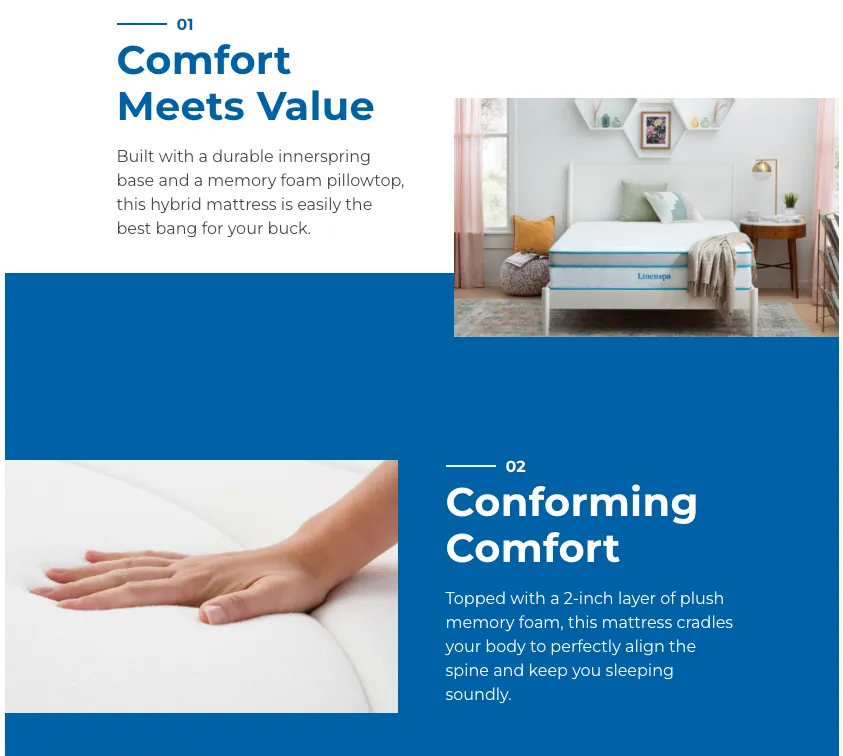
Staggered Image Section
This section uses a widget for the three staggered images and text. To add or edit the widget on the product page, you’ll either need to navigate to the product while in preview mode on page builder, or navigate to the bigcommerce product management list and click the three dots next to the product > view in page builder.
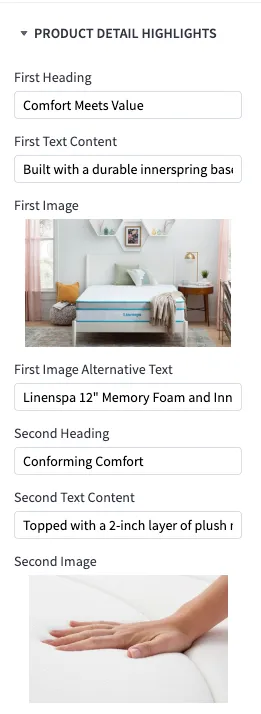
You can drag and drop the product-detail-list widget into the region right below the main product information.
It should resemble the image below with 3 separate sections:
Specifications Section
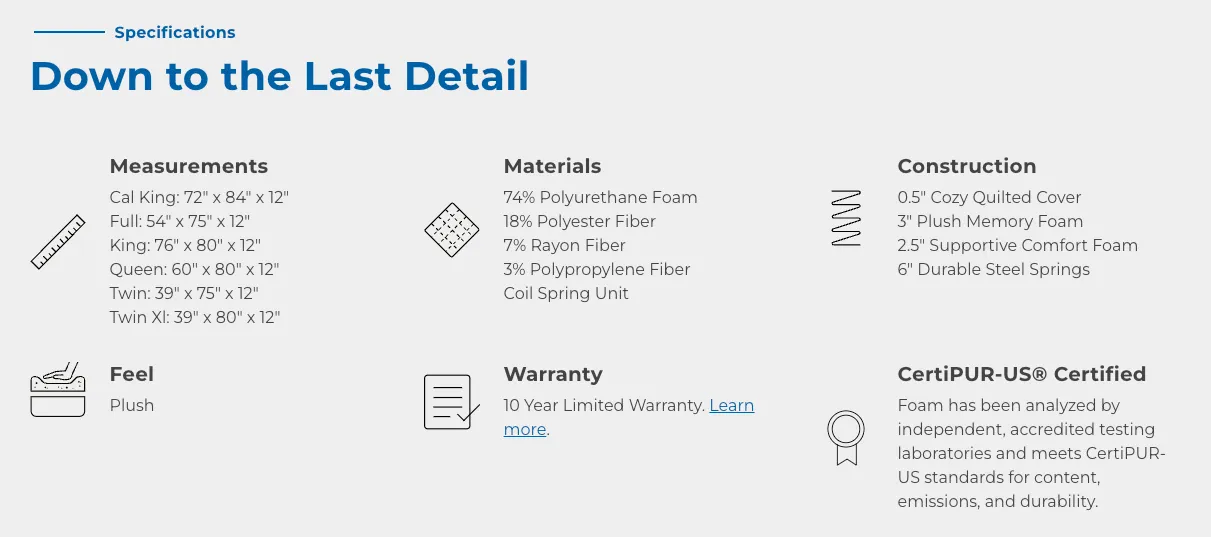
The specifications (down to the last details) section grabs content from multiple areas in the product details. You can add other blocks if you would like to using the d-[name] custom field with any [name] and the block will show, but only the ones outlined below have an icon set currently. Please reach out if you need icons tied to additional field names.
| Block Name | Where it Comes From | Example |
|---|---|---|
| Measurements | d-measurements | Cal King: 72” x 84” x 10”;Full: 54” x 75” x 10” |
| Materials | d-materials | 53% Polyester Fiber;39% Rayon Fiber |
| Construction | d-construction | 1.5”Quilted Memory Foam;2.5” Comfort Foam |
| Feel | d-feel | medium |
| Certification | d-certified | true |
When specifications are added, the product page should have a section that resembles the image below:
Bases Section
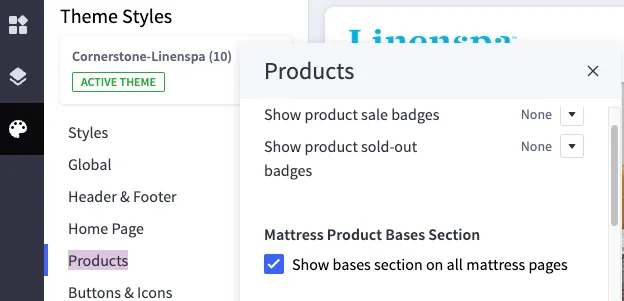
The bases section shows on all mattress product pages. You can toggle the bases section off in theme styles > products. To edit the content, navigate to any mattress page inside of page builder. The bases widget heading and paragraph text can be adjusted. The content will update accross all mattress pages.
FAQs
The FAQs on product pages are tied to the product’s main category. i.e. every pillow will have the same FAQ. Editing one will edit all FAQs in that category. You can find all of the editable FAQs at the product-faqs page in page builder. Alternatively, you can navigate to the individual product’s page in page builder and edit the FAQ there. For more info on the FAQ widget, see the faq docs.