Product Options
Please follow the guide below to update or add color swatches on product cards and product pages. This guide will only pertain to the Shopify version of the site.
Adding Swatches
Step 1: Edit the product variant
Color swatches are now added as a meta field in the product variant. You can navigate to the product page and edit the variant to see the specific color meta field.
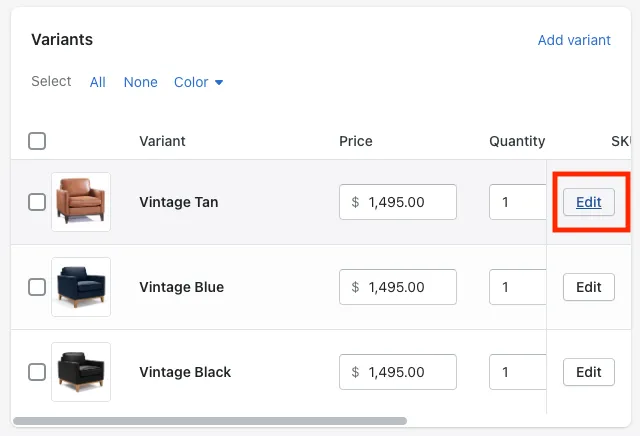
Step 2: Select or paste hex/rbga color
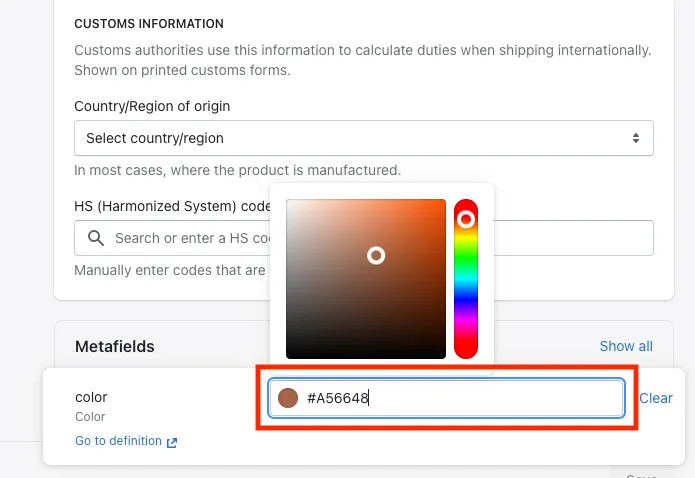
Navigate to the bottom of the variant edit screen and locate the color meta field. You can either manually select the color, or paste the desired hex/rbga code. Remember to save when you are finished.
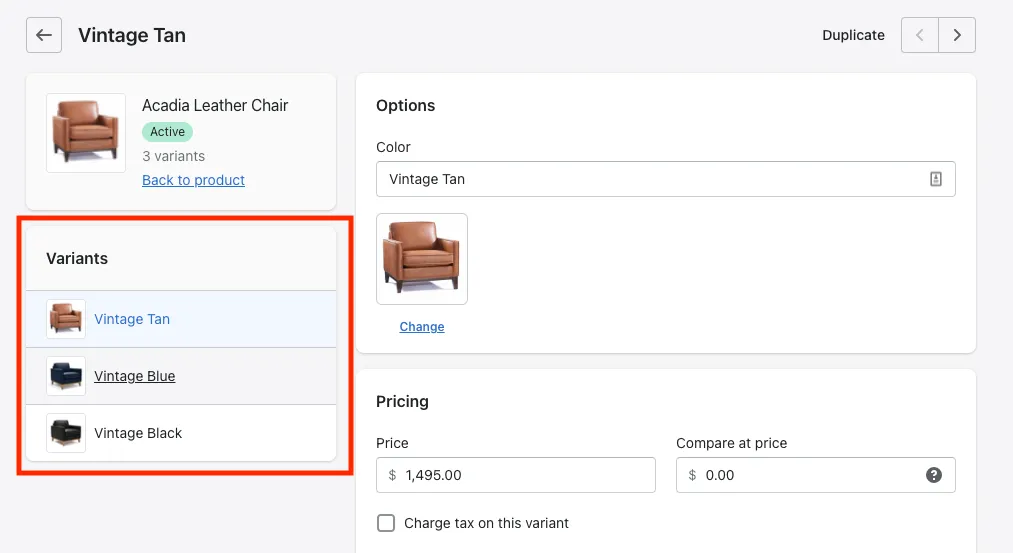
Within the variant editor, you can see all the variants for that specific product in the left sidebar.
Step 3: Set product tag
To ensure the swatch shows on the category pages and switches images accordingly, we need to set the color option tag. There are two variations: color-option-primary or color-option-secondary.
Look at where the color option is located within the product you wish to edit, and tag the product with the best option.
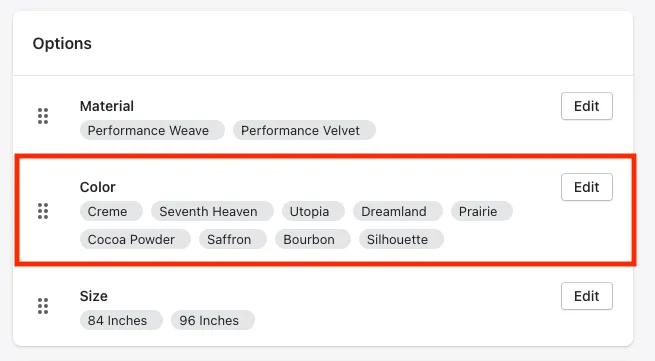
For example, if the color option is below another option like material, we would add the product tag color-option-secondary. If nothing is selected, the tag will default to color-option-primary.
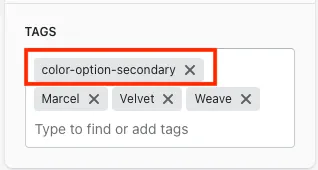
The tag feature can be found on the far right sidebar of the product tab.
Product Gallery
In order to have each variant tied to a set of gallery images, each image will need to have the same alt text as the featured image for that variant. All this can be done the product section of the admin.
Navigate to the Media section within the product you wish to edit. You can find or chose the featured image for each variant in the variant section.
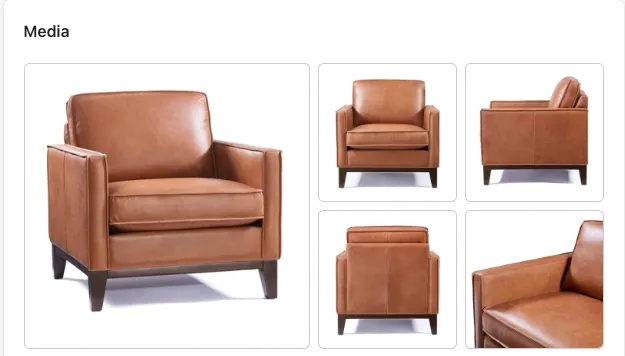
Simply name the alt text for the images you want to show with that variant all the same. You can click on the images to add alt text within the product tab.
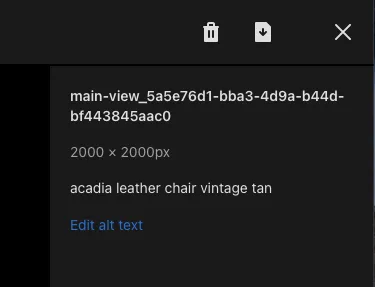
If there is no images for the specific variant, only the featured images for that variant will show.
Product Dropdowns
Updated Process
For each of the product drops downs (Dimensions, Materials, etc…) these will be updated per product within the metafields section. You no longer need to update the HTML directly.
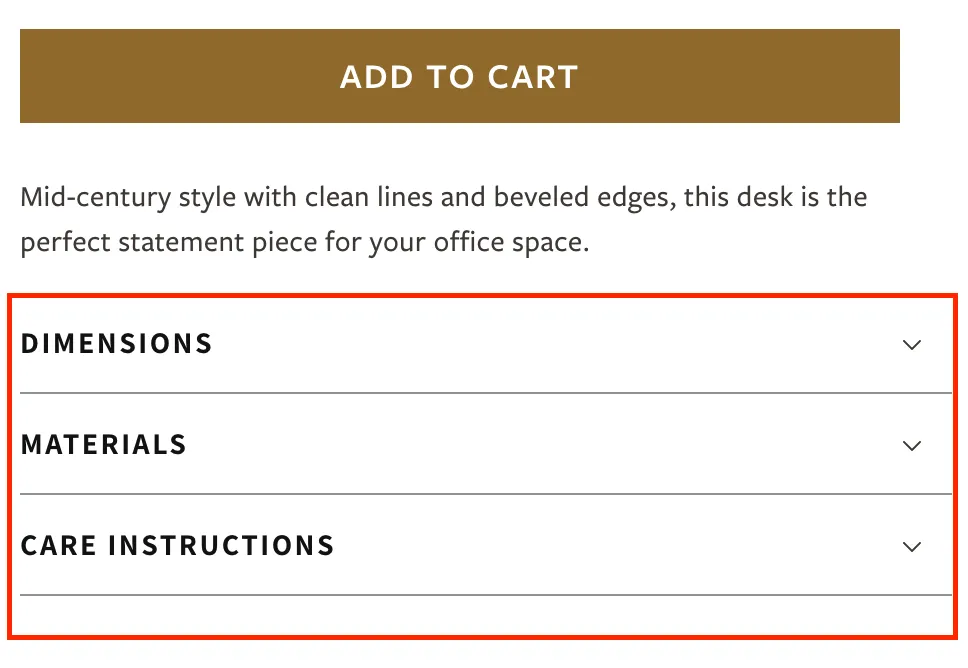
To add info to the dropdown sections, navigate to the bottom of the product page in the Shopify admin.
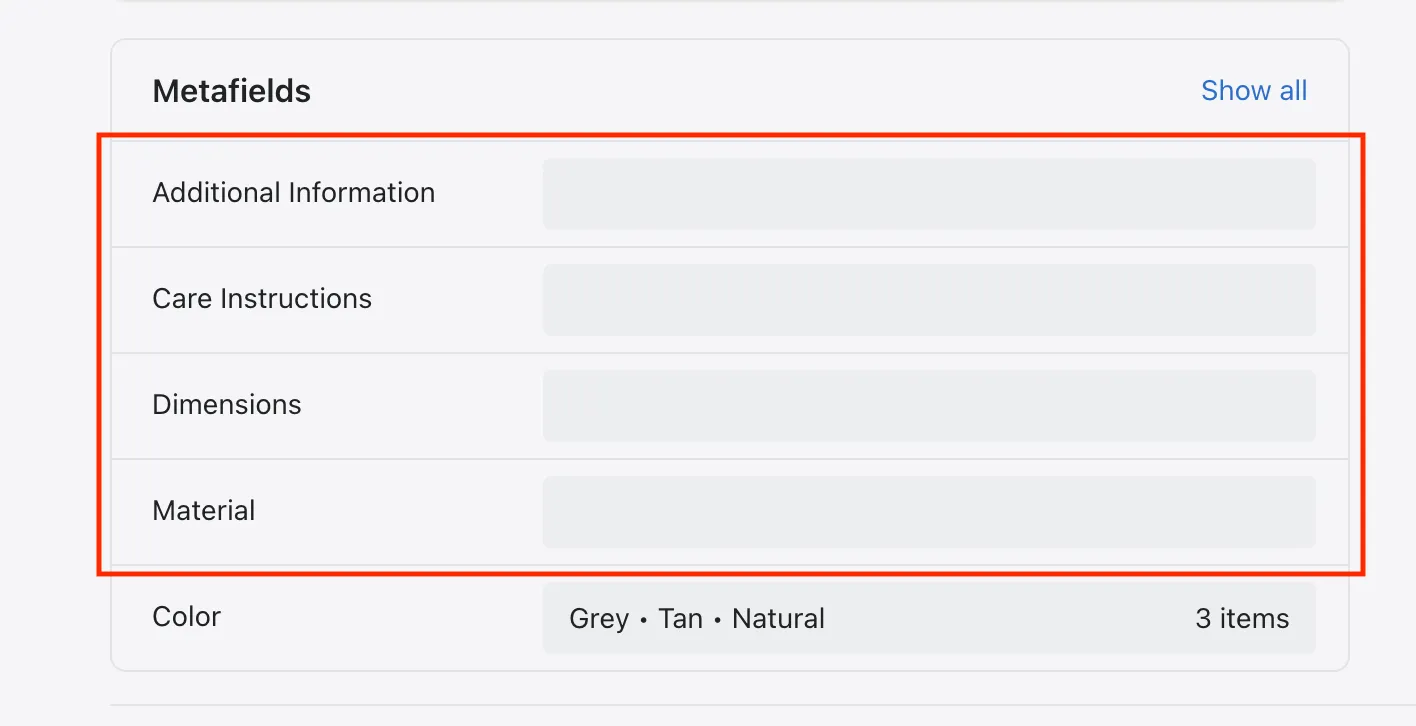
Click into the section you wish to update. Each line or list item will be added separately. Dimensions will add each line as a separate paragraph tag. All other sections will add as separate bulleted list items.
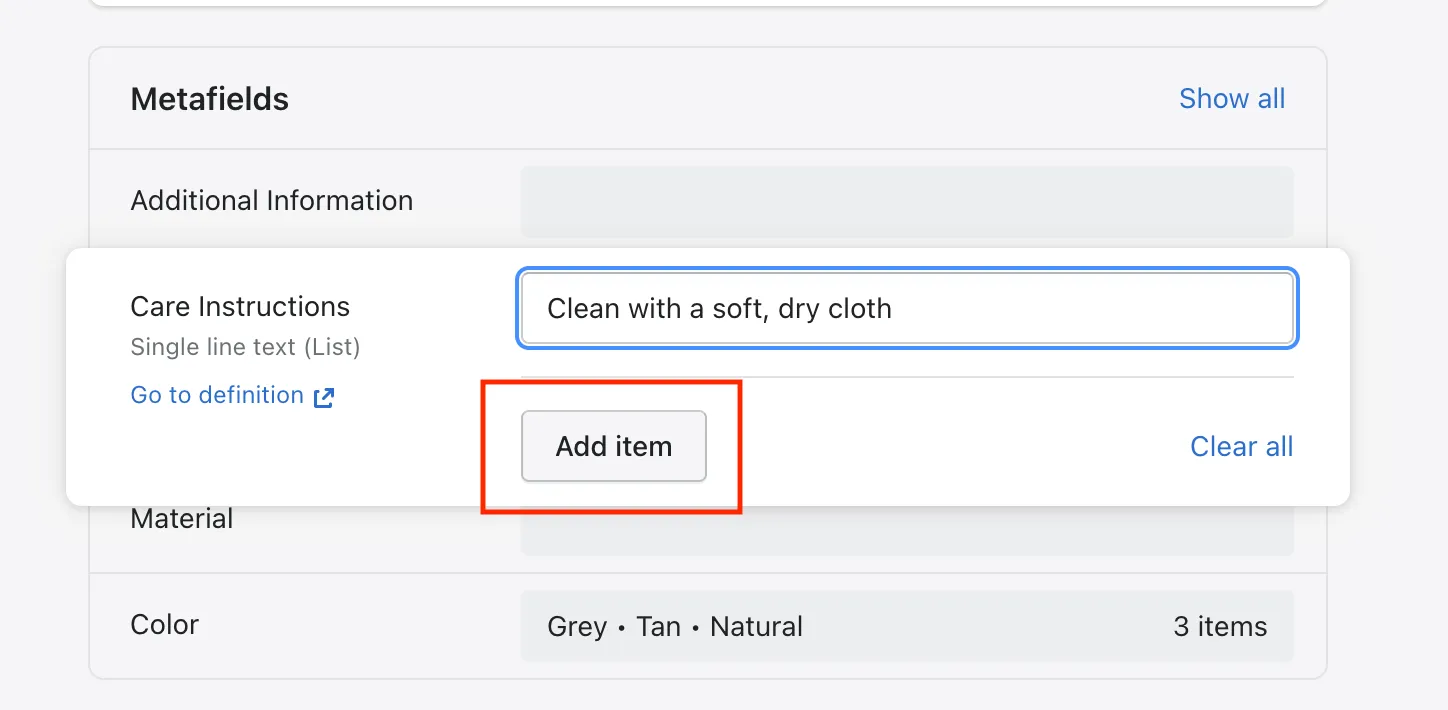
Feel free to leave sections blank if there is no applicable content. If there is no content, they will be hidden by default. Dropdown sections will always appear in the following order on the page: dimensions, materials, care instructions, and additional information.
Outdated Process
For each of the product drops downs (Dimensions, Materials, etc…) these will be updated per product within the product tab. The HTML will need to be edited directly with the new content, or copied from another product to provide the initial structure.
To edit, click on the code key of the description box.
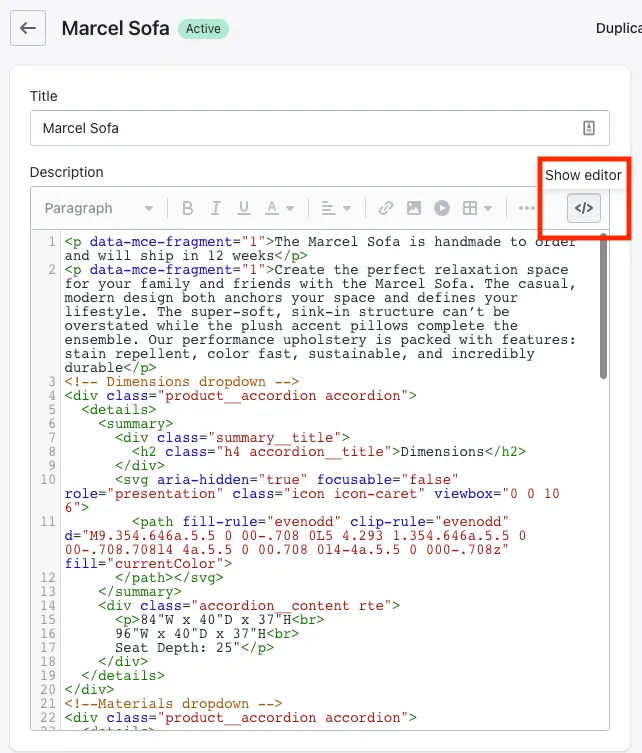
Within that section, locate each different drop down and edit the content as desired. Try to only update within the code block that starts with class="accordion__content rte". Also, please note that this will look odd in the editor outside of code view because of the svgs being used.
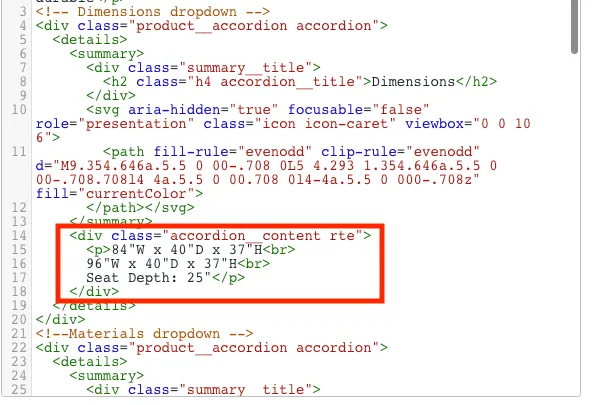
The code block can be found below for new products. Copy and paste within the product description.
<!-- Dimensions dropdown -->
<div class="product__accordion accordion">
  <details>
    <summary>
      <div class="summary__title">
        <h2 class="h4 accordion__title">Dimensions</h2>
      </div>
      <svg aria-hidden="true" focusable="false" role="presentation" class="icon icon-caret" viewbox="0 0 10 6">
        <path fill-rule="evenodd" clip-rule="evenodd" d="M9.354.646a.5.5 0 00-.708 0L5 4.293 1.354.646a.5.5 0 00-.708.708l4 4a.5.5 0 00.708 0l4-4a.5.5 0 000-.708z" fill="currentColor">
      </path></svg>
    </summary>
    <!-- Dimension content here -->
    <div class="accordion__content rte">
      <p>22"W x 25"D x 37.5"H, 19 lbs</p>
    </div>
  </details>
</div>
<!--Materials dropdown -->
<div class="product__accordion accordion">
  <details>
    <summary>
      <div class="summary__title">
        <h2 class="h4 accordion__title">Materials</h2>
      </div>
      <svg aria-hidden="true" focusable="false" role="presentation" class="icon icon-caret" viewbox="0 0 10 6">
        <path fill-rule="evenodd" clip-rule="evenodd" d="M9.354.646a.5.5 0 00-.708 0L5 4.293 1.354.646a.5.5 0 00-.708.708l4 4a.5.5 0 00.708 0l4-4a.5.5 0 000-.708z" fill="currentColor">
      </path></svg>
    </summary>
    <!-- Material content here -->
    <div class="accordion__content rte">
      <ul>
        <li>Solid Teak wood frame is strong and long lasting</li>
        <li>Aluminum</li>
        <li>Polyolefin rope fabric</li>
        <li>Foam</li>
      </ul>
    </div>
  </details>
</div>
<!-- Care instructions dropdown -->
<div class="product__accordion accordion">
  <details>
    <summary>
      <div class="summary__title">
        <h2 class="h4 accordion__title">Care Instructions</h2>
      </div>
      <svg aria-hidden="true" focusable="false" role="presentation" class="icon icon-caret" viewbox="0 0 10 6">
        <path fill-rule="evenodd" clip-rule="evenodd" d="M9.354.646a.5.5 0 00-.708 0L5 4.293 1.354.646a.5.5 0 00-.708.708l4 4a.5.5 0 00.708 0l4-4a.5.5 0 000-.708z" fill="currentColor">
      </path></svg>
    </summary>
    <!-- Care instructions content here -->
    <div class="accordion__content rte">
      <ul>
        <li>Spot clean with soft cloth</li>
<li>Cover or store indoors</li>
<li>Materials will naturally weather over time</li>
      </ul>
    </div>
  </details>
</div>
<!-- Additional Information -->
<div class="product__accordion accordion">
  <details>
    <summary>
      <div class="summary__title">
        <h2 class="h4 accordion__title">Additional Information</h2>
      </div>
      <svg aria-hidden="true" focusable="false" role="presentation" class="icon icon-caret" viewbox="0 0 10 6">
        <path fill-rule="evenodd" clip-rule="evenodd" d="M9.354.646a.5.5 0 00-.708 0L5 4.293 1.354.646a.5.5 0 00-.708.708l4 4a.5.5 0 00.708 0l4-4a.5.5 0 000-.708z" fill="currentColor">
      </path></svg>
    </summary>
    <!-- Additional content here -->
    <div class="accordion__content rte">
      <ul>
        <li>Intricate rope back and side detailing are handwoven</li>
        <li>Neutral Taupe color matches a variety of décor styles</li>
        <li>Cushioned seat is removable and made of all-weather fabric</li>
      </ul>
    </div>
  </details>
</div>