Salt Flat Content
Salt Flat
To manage the catalog sites, we use a content management system called Strapi. If you are new to Strapi, please read the section on General Content Mangement.
Salt Flat is a larger site with a more complex design. Therefore, it has more Strapi content you will need to update.
Home
All the home page for Salt Flat can be updated through Strapi. Simply go into Content Manager > Single Types > Home and you will find all the editable content for the page.
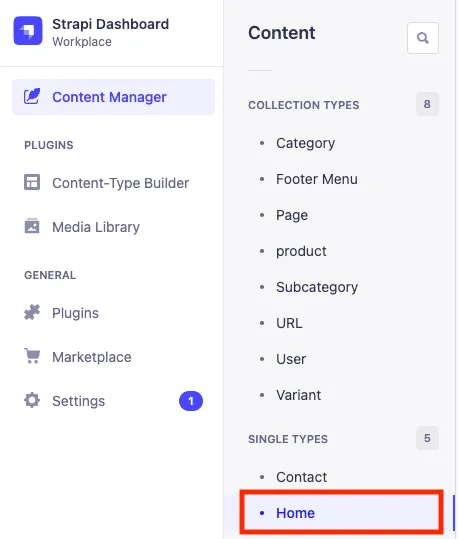
The home page is a mixture of regular input types and components. You will find these components like the carousel and bcorp section used throughout the site. Checkout out list of available components here.
Main Navigation
The navigation at the top of the page is broken into two sections:
- Top Menu
- Category Menu
The top menu is a collection within Strapi and can be found at the top right section of the live site. This currently includes items like the “sign up to be a retailer” link and the Malouf Home parent site link.
The category menu will pull any categories that are set to published.
Categories
The category collection type will be where the parent or main categories are input. For example, Living, Bedroom, and Dining are all categories that contain subcategories.
Any published entry in the category collection type will be added to the desktop and mobile menus.
You do not have to add products to the parent category as long as it has subcategories. You can attach or remove subcategories via the subcategory field within the individual category entry.
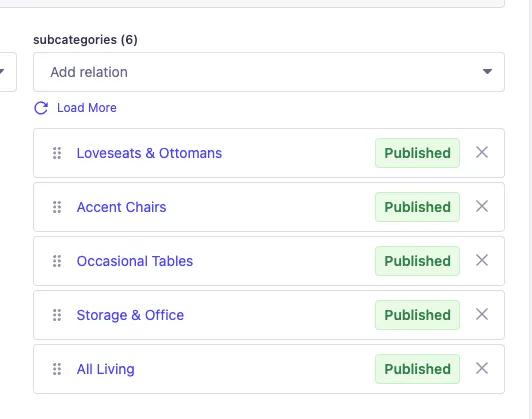
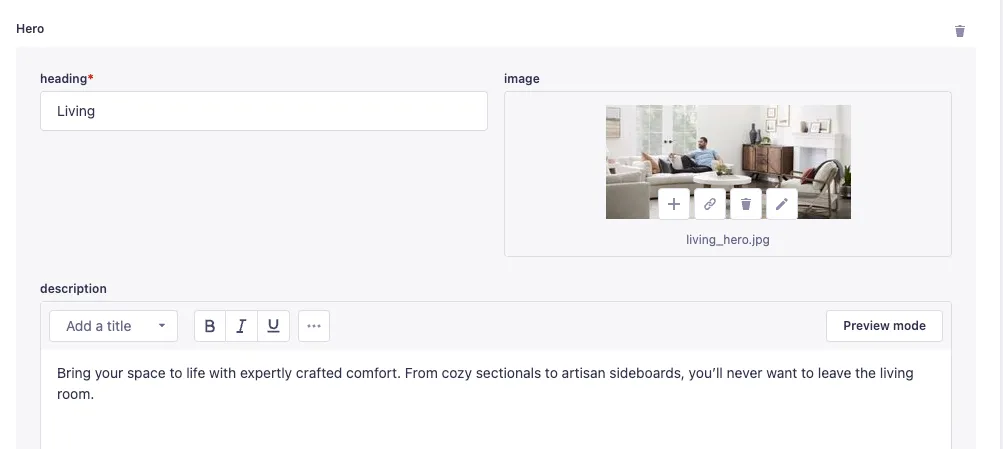
Please add content to the Hero section within the category entry. This section also uses the description for SEO purposes.
Subcategories
The subcategories require significantly more content than the category page. For the subcategories to properly render, you will need to add the following:
- Parent category
- Attach products
- Category card image (displays as list item/link on parent category)
- Thumbnail (displays as icon in desktop dropdown menu)
- Hero content similar to the parent category
::: tip Remember to attach the subcategories to the proper parent category to see it on production. :::
Products
Product pages require the most content to display properly. If the fields need to be updated or features added, please reach out to the dev team. A brief list of current components can be found here. Below you will descriptions and tips for the more involved product fields.
::: tip To make adding products faster, you can use the duplicate feature on the entries (double page icon to the left of the garbage can) to copy an existing product. This way you won’t have to do as much content entry. :::
Breadcrumb
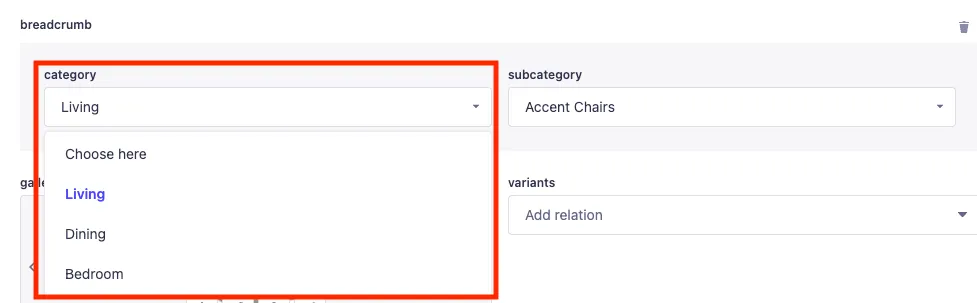
It is important to note that the product pages have a breadcrumb that requires manual entry. Simply select the category and subcategory for the drop down for the correct links to be updated on the site.
Variant
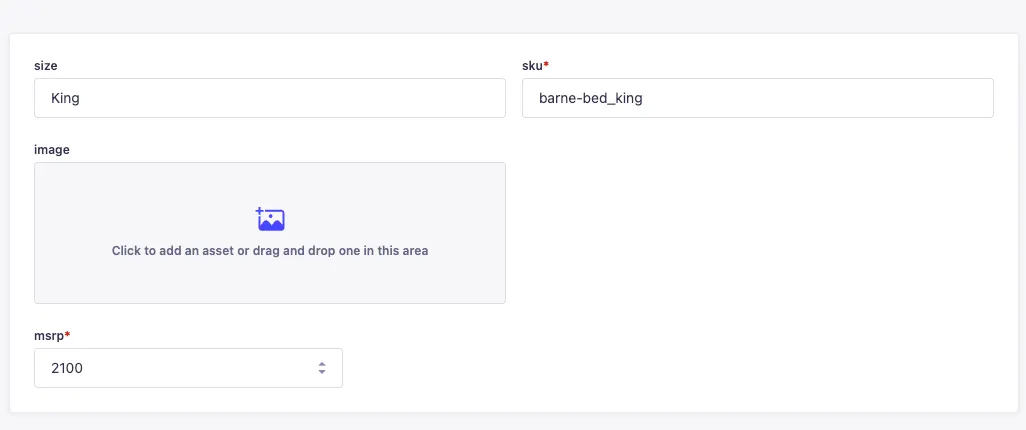
For products that have different sizes (king, queen, etc) or configurations, you will need to create an entry in the variant collection type. If you do not include an image, the size name will be used in its place.
In the image below, you will find an example of active variant:
Similarly to the category and subcategory relations, you will need to attach the variant entry to the product.
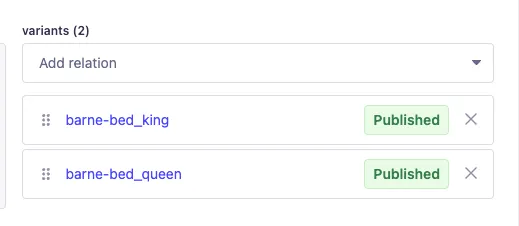
::: tip To narrow down the variant or product from the list, you can type in the dropdown to search by name. :::
Swatches
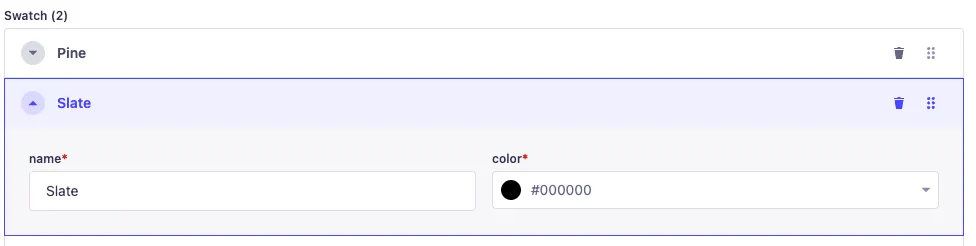
You can add multiple swatches to a product by using the “Add an Entry” feature. There is no limit to the amount of swatches on a product. The colors are applied via HEX code.
Accordion
The accordion on the product page is where all the product details and additional info are stored. Much like swatches, you can add as many entries as you need. An important thing to note is that the summary field must be an unordered list like the code below. Preferabbly each summary would have 3 or less list items based on the design.
<ul>
  <li>Solid panels of reclaimed pine.</li>
  <li>Sustainably sourced and thoughtfully made.</li>
  <li>Chevron pattern design.</li>
</ul>
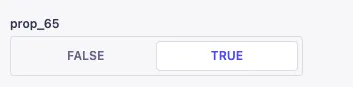
Another detail to note about the accordion is that you can toggle on and off the Prop 65 warning about wood products.
Related Products
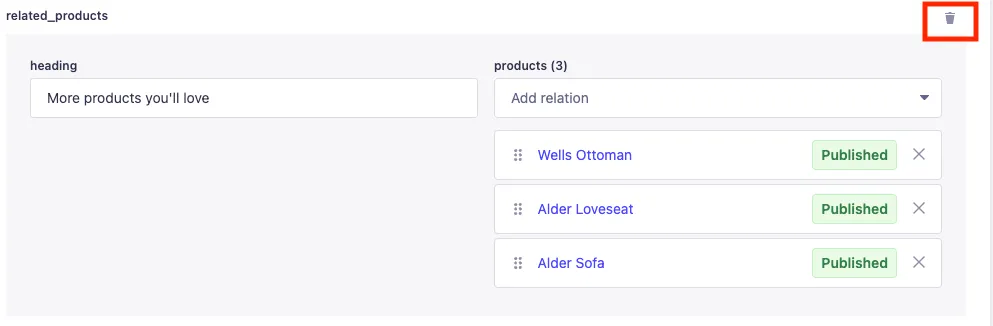
The related products section is a carousel where you can attach similar or cross-sale products. Similar to the swatches, you can add as many products as you would like.
If you would rather not have related products, you can simply hit the garbage can icon at the top of section to remove it.
Become a Retailer
The “Become a Retailer” page is a single type page similar to the home page. The single type page is Retailer. It has a hero and several fields that you can fill out with information. The form is built into the page and will send to the sales team each time a submission is made.
Generic & Legal Pages
Any legal page like privacy and warranty can be found in the Page collection type. The content field of these pages does require some HTML to render correctly. Please use the exisiting pages (warranty, california privacy, etc) as a template if you would like to add new entries.
URL
The URL collection type is used to add external or other links to the footer menu items. The fields available are URL (the link) and display name.

Footer
The footer content can be controlled through Content Mangager > Collection Types > Footer Menus. Each footer menu represents a column in the footer. To add items to the footer, you can create a new menu or edit an existing item. Menus can include site pages, categories, subcategories, and external links.

Legal Menu
The legal menu is a single type entry that appears in the bottom of the footer. It holds the privacy policy and any other legal links the site requires. You can add pages to this menu as needed in the CMS.
Contact
The contact information for the site can be input in the contact single type entry. Currently we are only using the site email, but a phone number can be added as well.
Components
We have created several reusable components that you will find in the Salt Flat CMS. Below you find a brief description of each and where they are being used
| Component | Areas used |
|---|---|
| Accordion | Product info |
| Breadcrumb | Product breadcrumb |
| Swatch | Product swatch colors |
| Bcorp | Home and product bcorp sections |
| Carousel | Home best sellers & related products |
| Details | Home ‘it’s all in the details’ section |
| Hero | Every page with a hero image |
| Text Feature | Show rooms on become a retailer page |
| Vignette | Home page category images |