Malouf Companies
The Malouf Companies site is the info hub for all things Malouf: news, careers, company list, and other highlights. This site does not sell any products and is purely informational. Therefore, the site has different content needs than the other catalog sites. Content will be pulled from the Strapi CMS admin. Below you will find a guide on how to make updates in the Strapi CMS.
Landing Pages
Due to the unique content on each main page (Home, News, Impact, About…) each landing page is a single type.
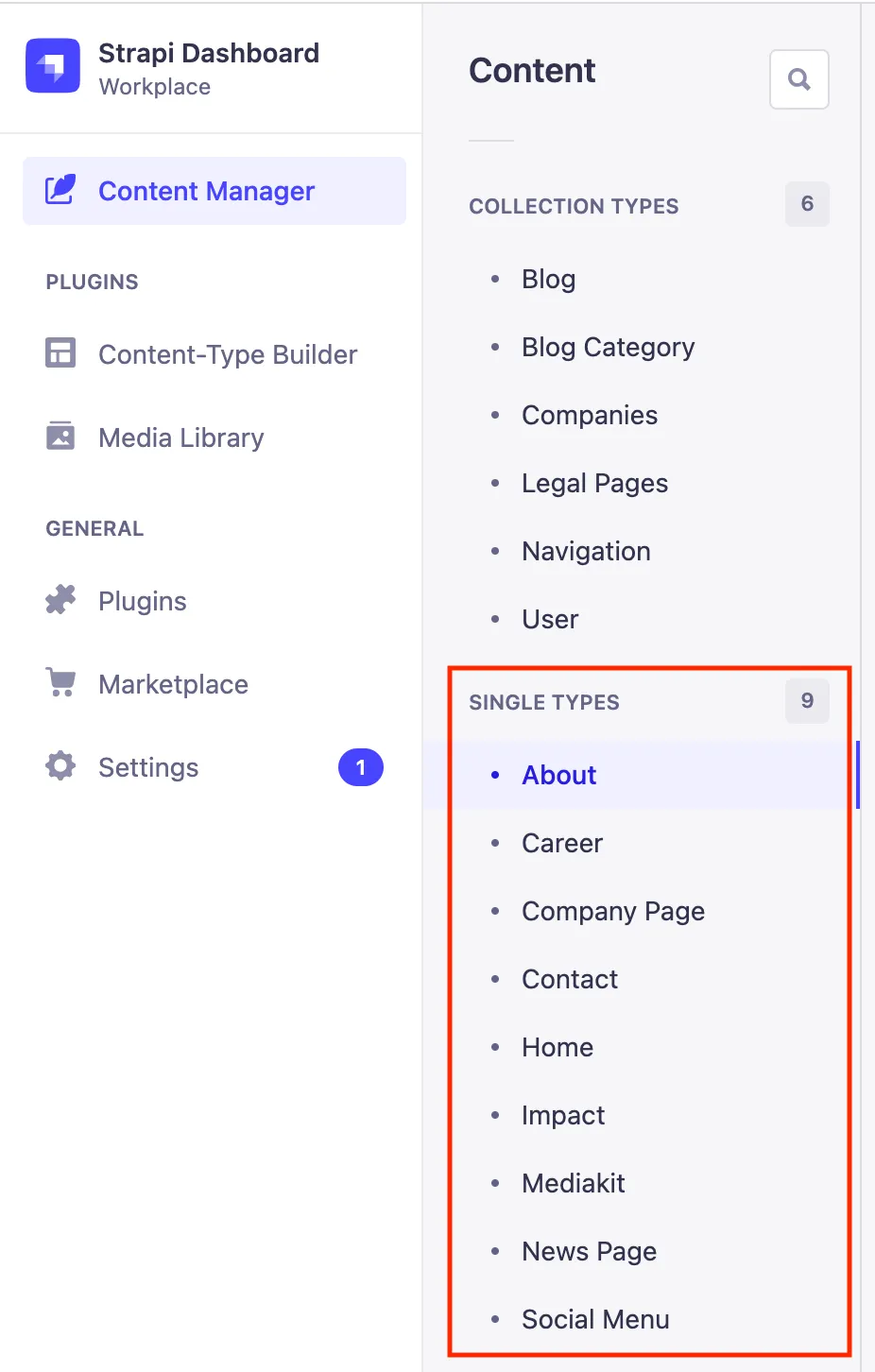
Within each single type you will find a series of widgets or content zones. Please change or fill out content accordingly. After you have made changes, please select the save and publish buttons in the upper right hand corner of the screen.
If you would like additional landing pages, please reach out to the dev team.
Media Kit
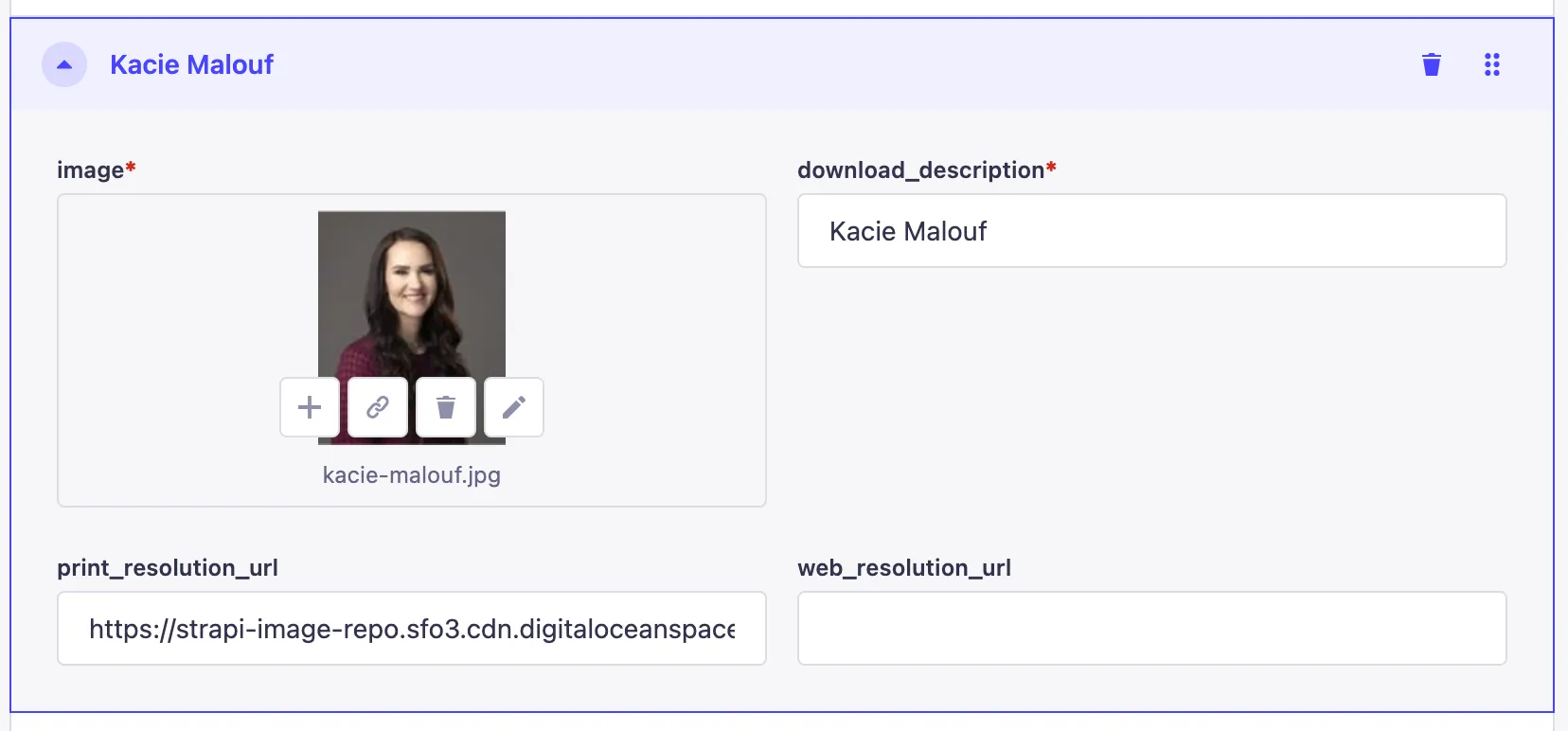
The media kit is a single type landing page that requires certain zip uploads and direct URL links for assets. To upload zip and pdf files (or really any asset for that matter), please use the Media Library feature within the admin.
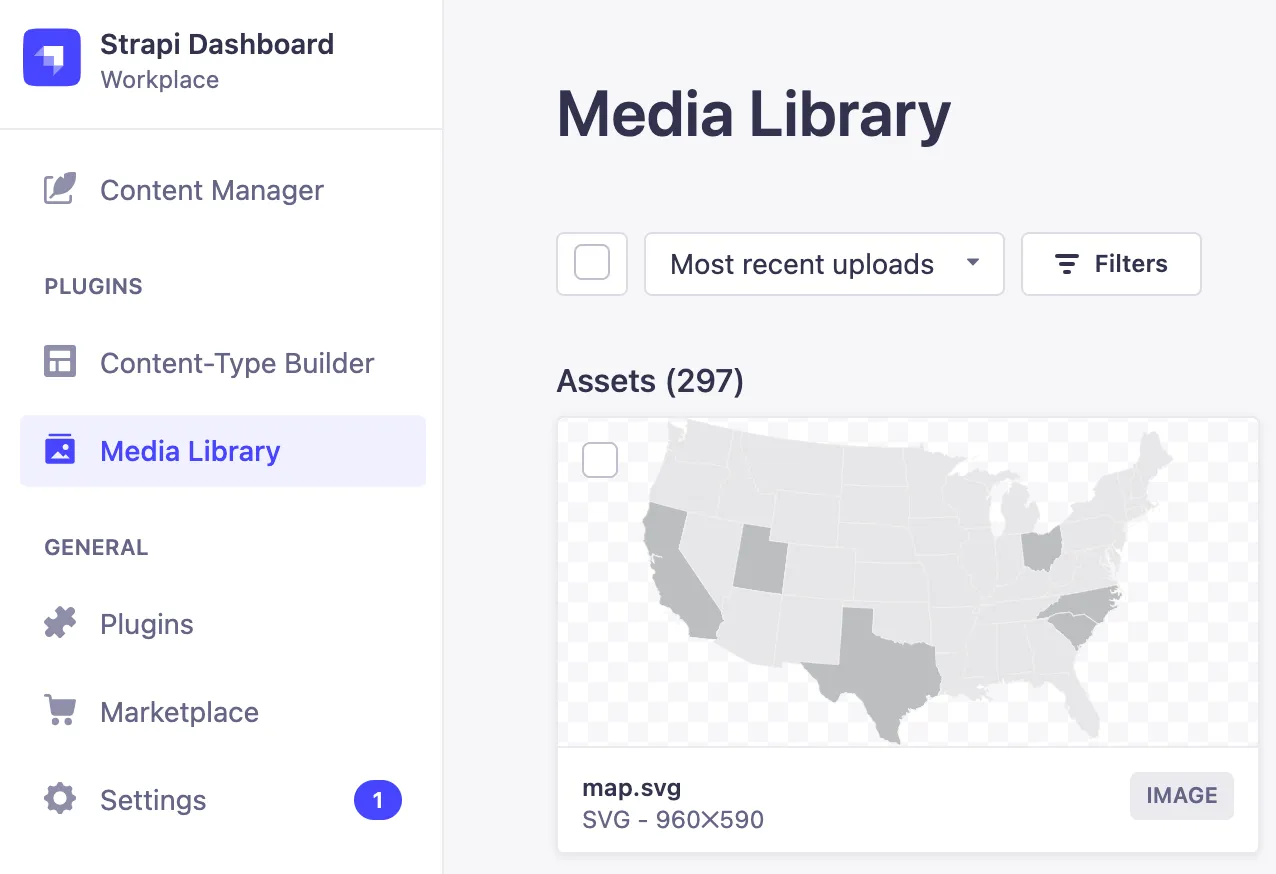
Once you upload assets via the Add new assets button in the upper right hand corner, you will need edit the asset and copy the link.
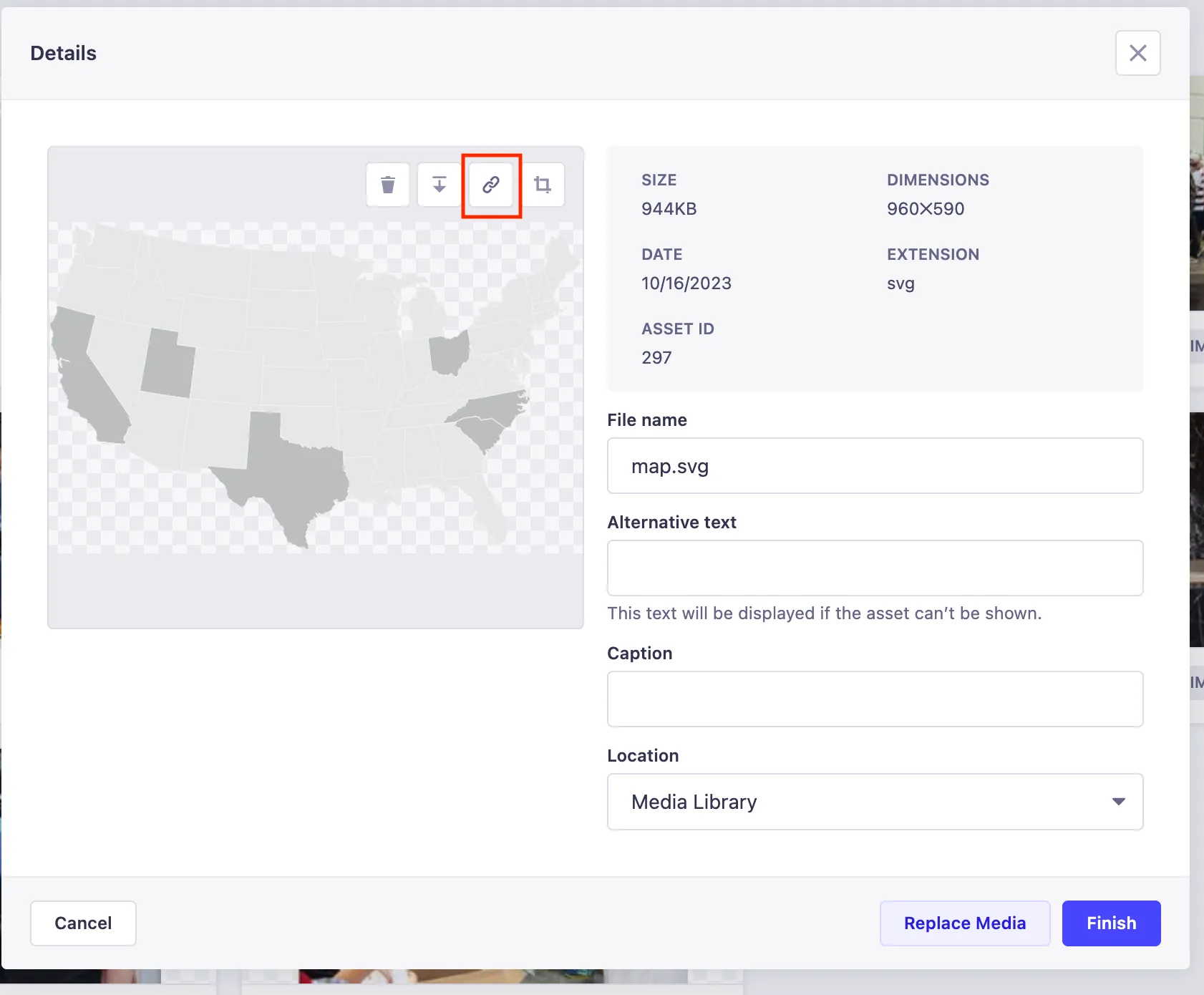
The link will be used in the download or print/web urls for the Media Kit page.
Careers
The Careers page is similar to the other landing pages in most ways, except it uses a script from JazzHR to display job posts. If you are having issues with jobs showing or did not see a post, please contact the dev team.
Navigation
All the navigation values for the header and footer pull from the Strapi CMS. Please read on for more information on each collection type needed to update the navigation menus.
Header
The desktop and mobile menus use the same data so you only need to manually enter information once. Please read below to learn more about to update the header menus.
Main Menu
The aptly named Navigation collection type is used to create the top menu on the page.
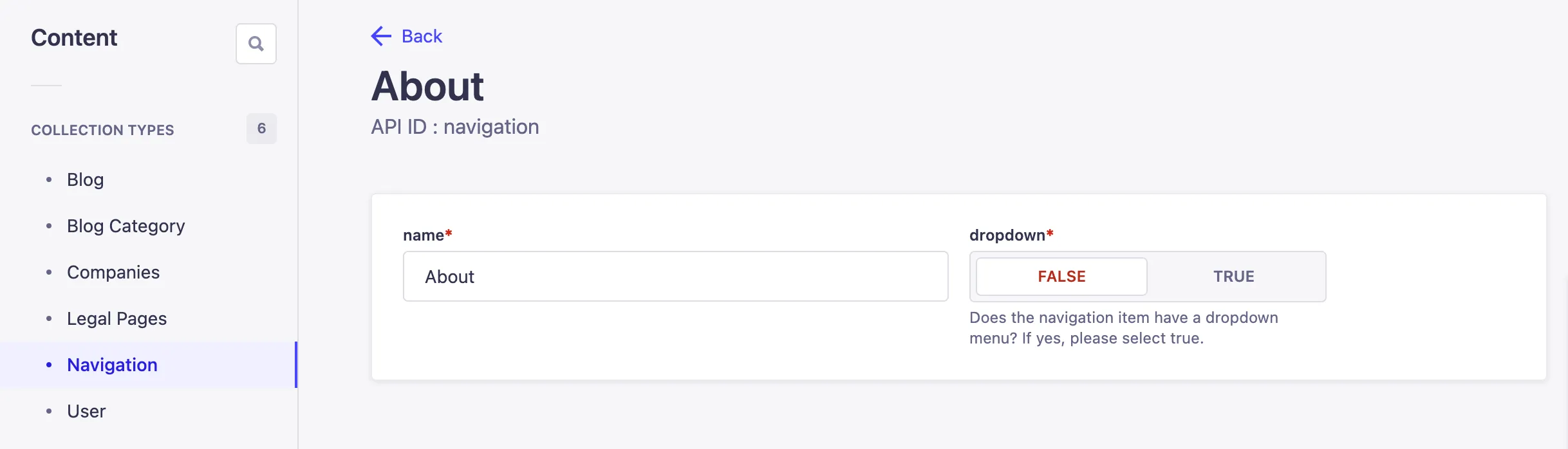
The name field is used to create the URL for the menu item. So a simple input of “About” becomes https://maloufcompanies.com/about. Currently the only menu item that has an extended drop down is Companies.
Extended Dropdown
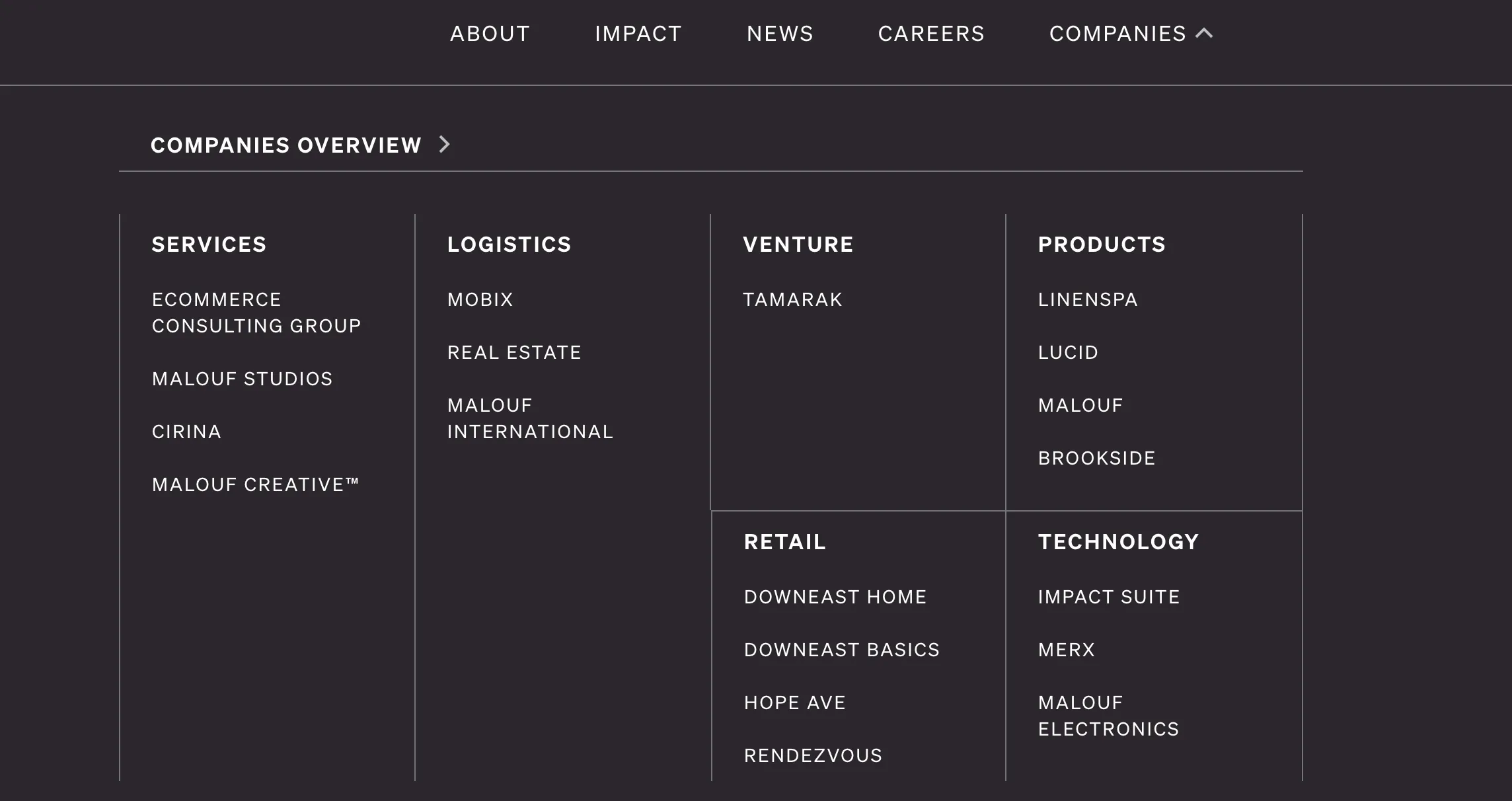
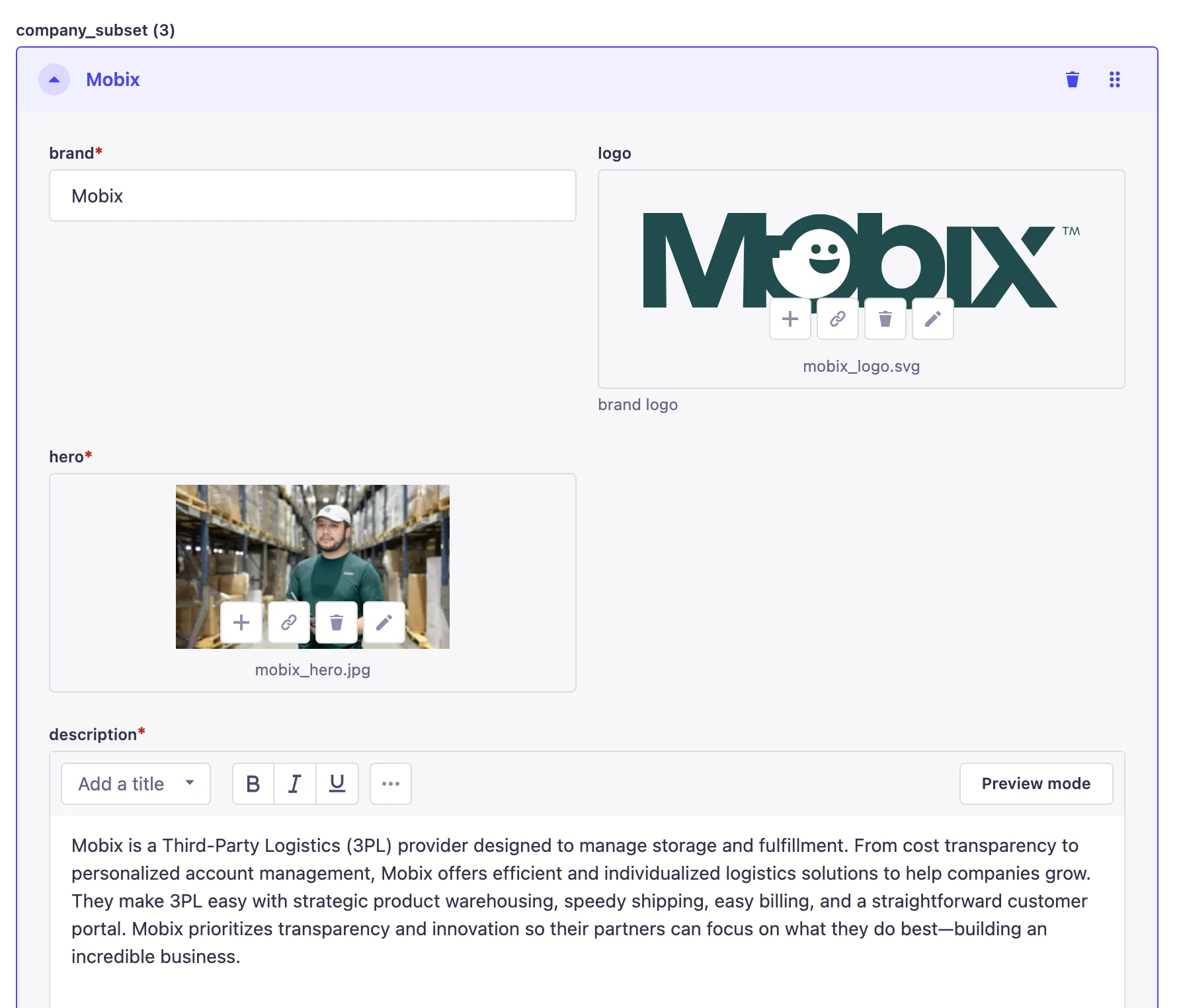
To update the extended company drop down menu, please refer to the Companies collection type. Within each entry you will find fields to create each of the subcompany landing pages like logistics, services, and products/brands.
As you can see by visiting these pages, there a list of companies that fall under the description. The details for these content collections can be updated through the company_subset fields. You can also add additional content simply by clicking Add an entry and filling out the necessary content. Required content fields have a red asterisk.
Footer
The footer will be default pull the main links in the header, as well as socials, contact information, and all legal pages.
Social Menu
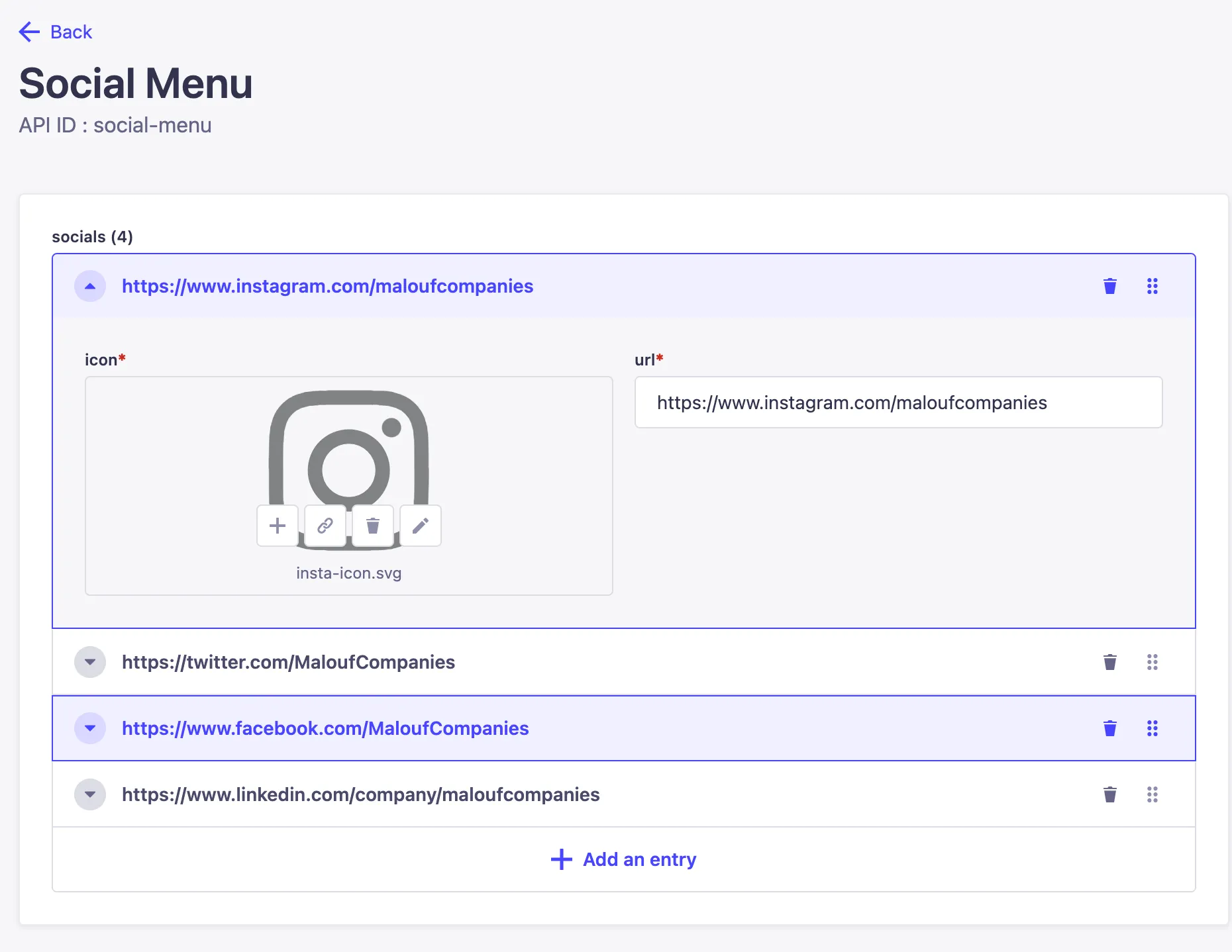
To update the social menu, go to the Social Menu in the single type column of the admin (similar to unique landing pages). You can add or remove social icons and links here.
Contact info
Similar to the social menu, contact inforation is a also found in the single type column of the admin. Any data in the fields will be added to the footer.
Legal Menu
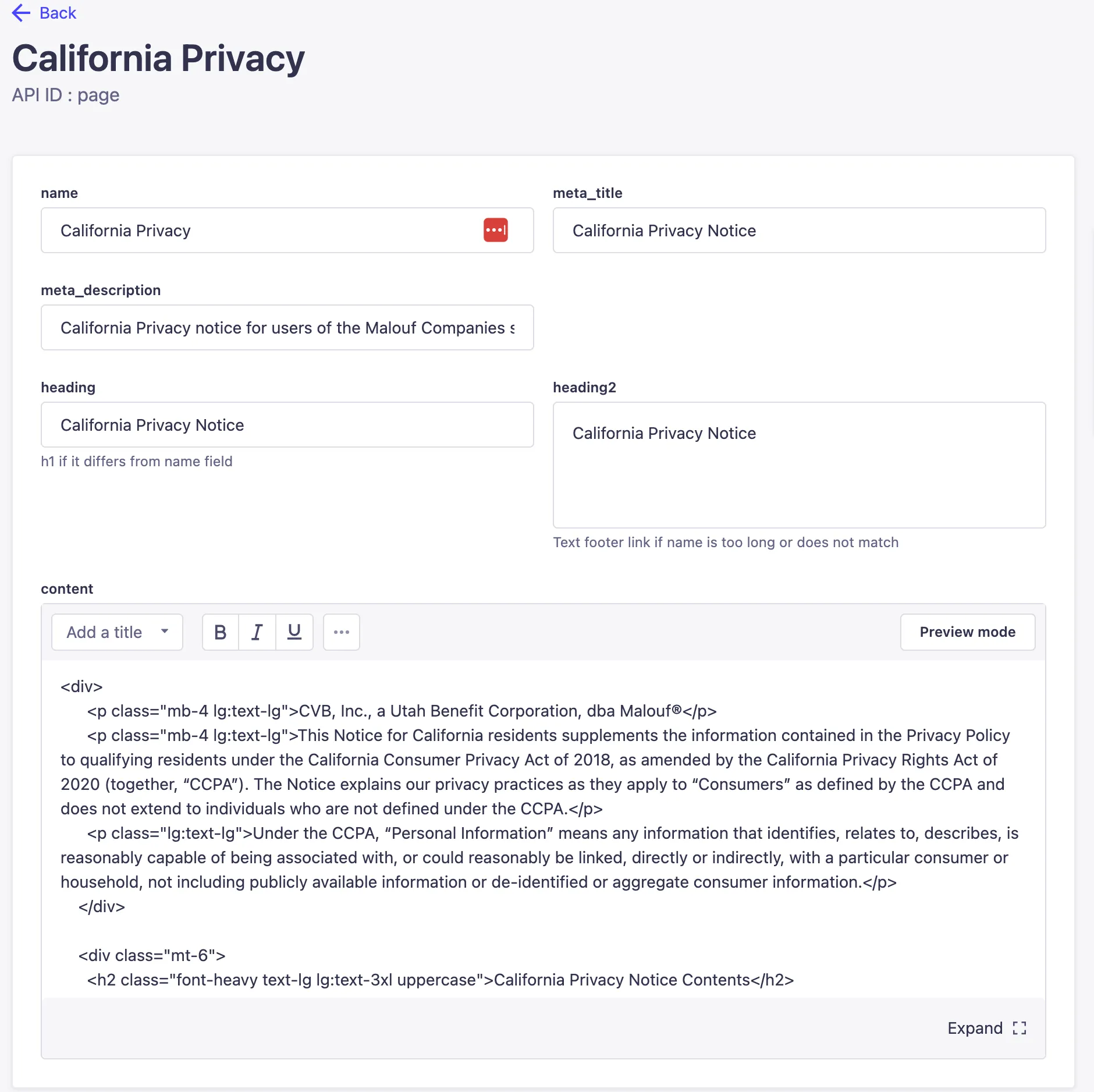
The legal menu at the bottom of the footer pulls from the collection type Legal Pages. Any published entry in this collection will be shown in the footer and a page created.
Within the legal menu entries, you will see a content field for HTML entry. The site will pull HTML and format it accordingly. If you need to update these pages and are unfamiliar with HTML, please reach out to the dev team.
Newsroom
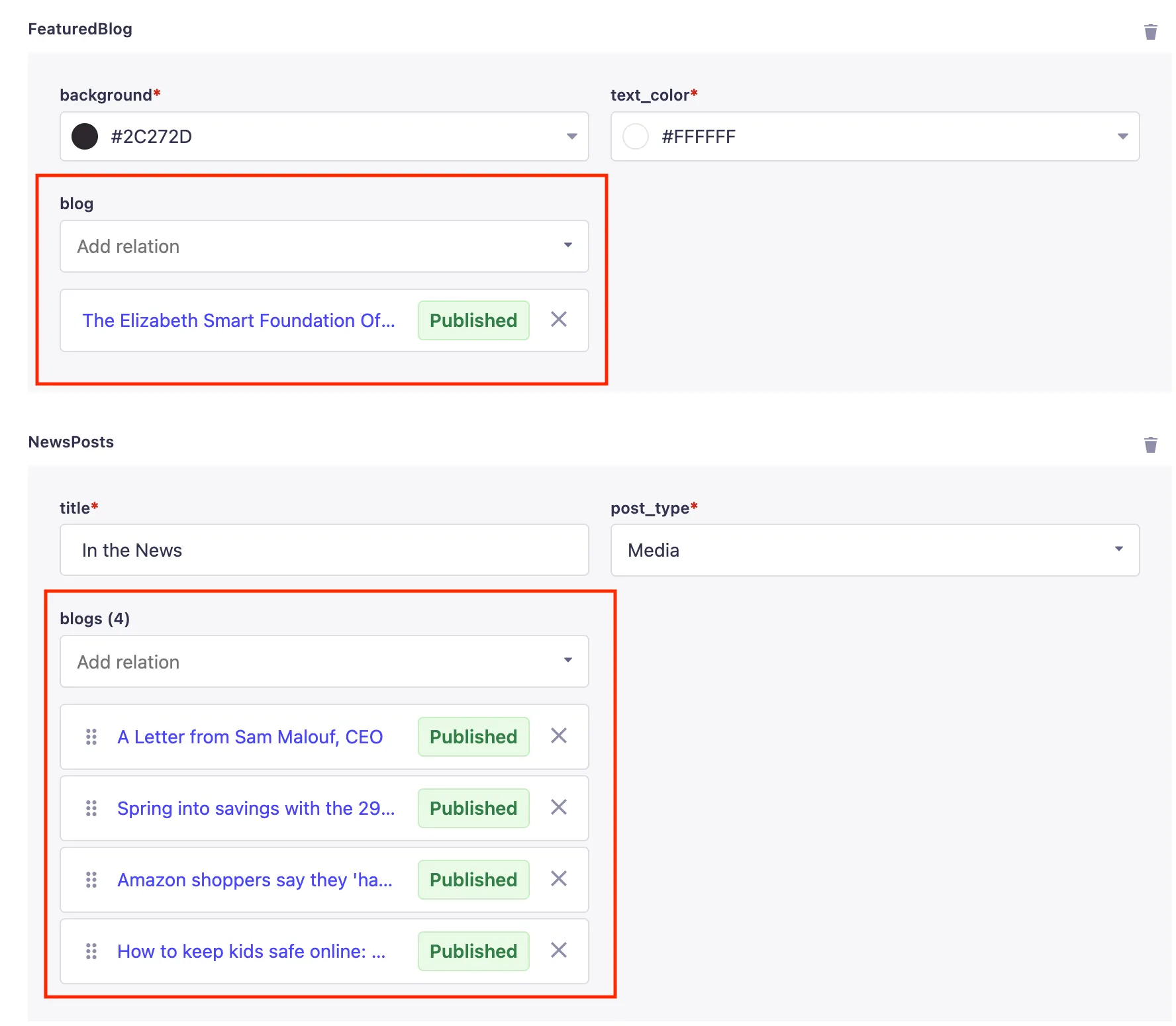
The newsroom is essentially the blog of the site. Within the admin you will find a single type landing page created called News Page that pulls the main content you see on the page.
You will see that some fields require a blog post or several blog posts. Please do not add every blog to this category. These are simply meant to hold the latest highlights or most recent posts. To update, please select the blog post(s) you wish to feature from the dropdown.
Blog Posts
To create new blog posts you will need to use the Blog collection type. The title field will be used to create the URL for the article/post page. Like the legal pages, the blog post content field also uses HTML.
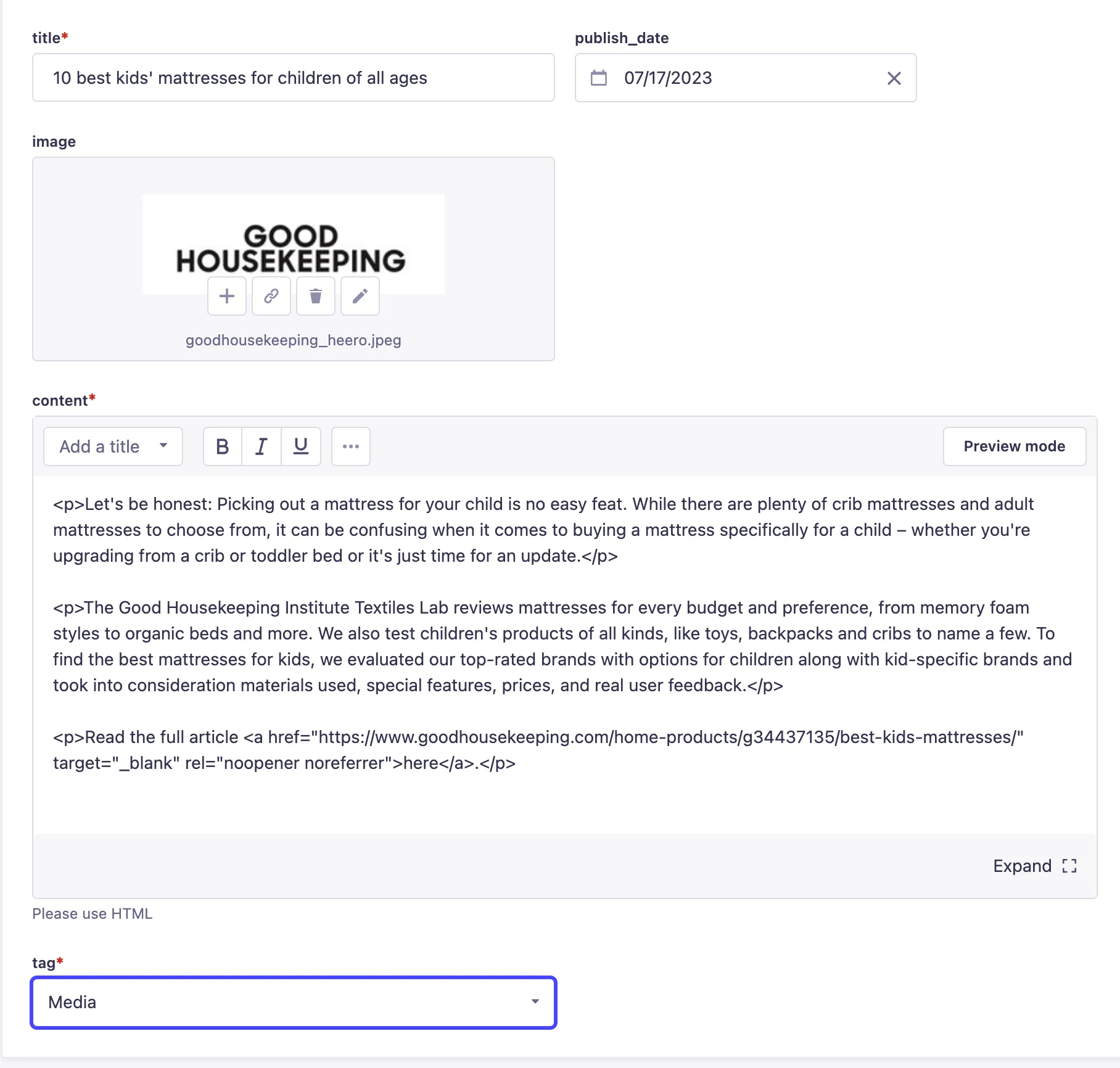
To more easily edit the HTML for new posts, feel free to duplicate a prior post and edit the content as needed.

Blog Categories
There are currently two categories or tags that blog posts can be sorted into: Media or Press. Each category has its own landing page where all the blogs for that category are listed. To update the categories, please refer to the Blog Category collection type in the admin.